Short answer: the best “eye strain gadget” is rarely one magic device. For a screen-heavy desk, start with the boring fixes first: screen position, glare, font size, breaks, lighting and laptop height. Then consider comfort tools such as a smart eye massager, a better display setup, an ergonomic keyboard, or a neck comfort device if they match a real daily problem.
This guide is deliberately cautious. It is not medical advice, and no product here should be treated as a cure for eye disease, headaches, migraine, vision changes, dry eye, neck injury or persistent pain. If symptoms are severe, recurring, one-sided, linked to vision loss, or not improving with simple changes, talk to an eye-care professional or clinician.
Start with the problem, not the gadget
| What you notice | First fix to try | Product category to consider later | What not to assume |
|---|---|---|---|
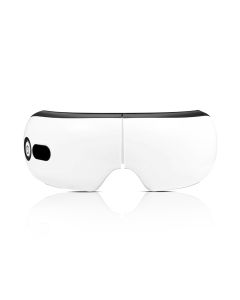
| Burning or dry-feeling eyes after long screen sessions | More frequent blinking, 20-20-20 breaks, room humidity and screen distance | Smart Eye Massager as a comfort add-on | Do not assume a massager treats dry eye or replaces an eye exam. |
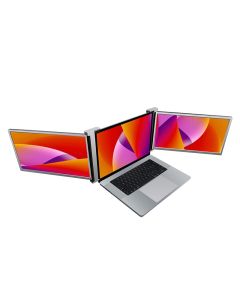
| Constant window switching and leaning forward | Larger text, better app layout and cleaner screen placement | Triple Portable Laptop Monitor or one portable screen | More screens can add cable and posture problems if the layout is wrong. |
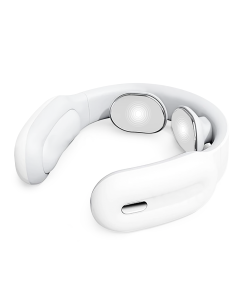
| Neck and shoulder tightness near the end of the day | Raise the laptop, bring the screen closer to eye level, check chair height | Intelligent Pulse Neck Massager | Comfort tools are not injury treatment. Stop if symptoms worsen. |
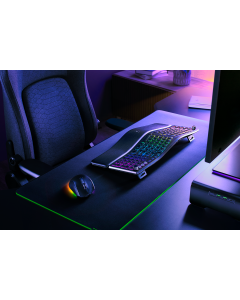
| Hand or wrist discomfort from typing | Keyboard position, mouse reach and desk height | Razer Pro Type Ergo | An ergonomic keyboard still needs setup time and may feel strange at first. |
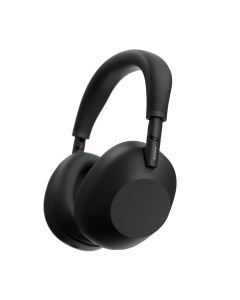
| Noise makes you tense while working | Reduce distractions and create clearer focus blocks | Sony WH-1000XM6 | ANC helps focus for some people, but it does not fix screen ergonomics. |
The desk changes that matter before buying anything
Medical and eye-care sources consistently point to environment and habits before gadgets. Mayo Clinic recommends regular eye breaks, lighting adjustments, glare reduction, blinking more often, and positioning the monitor roughly an arm’s length away with the top at or just below eye level. The American Optometric Association also highlights the 20-20-20 rule: every 20 minutes, look about 20 feet away for 20 seconds.
That means the first “purchase” may be free: increase text size, reduce glare, stop working with a bright window directly behind the screen, move the laptop off the tabletop, and make sure you are not craning forward. If those basics are wrong, buying a gadget may only make the setup look more expensive while the same fatigue pattern continues.
Where an eye massager can fit
A product like the Smart Eye Massager belongs in the comfort category. It may be appealing if the buyer wants a wind-down ritual after heavy screen days, travel, study sessions or late-night work. The sensible way to judge it is not “will this fix my eyes?” but “will I actually use this as a relaxation tool, and is the return policy reasonable if I dislike the fit?”
Be especially careful with claims around heat, pressure, vibration or “therapy” language. Do not use any eye-area device if it feels painful, if you have a recent eye procedure, an eye condition, unexplained symptoms, or if a clinician has told you to avoid pressure around the eyes. Comfort is the ceiling here; medical treatment is not the promise.
When more screen space helps — and when it backfires
A triple portable laptop monitor can reduce the constant alt-tab loop for people who work from hotels, coworking spaces, client offices or temporary desks. It can keep dashboards, docs, notes and calls visible at once. That can reduce mental friction, but only when the screens are positioned well and the laptop can drive them reliably.
It can also backfire. Too many screens on a shallow table can push the user into awkward neck rotation or make the setup slower to assemble than it is worth. If your work only needs one extra reference window, a single portable screen may be smarter than a full triple-screen rig.
Neck comfort belongs in the same conversation
Eye fatigue and neck fatigue often travel together because people lean toward the screen when text is small, glare is bad or the laptop is too low. A neck massager can be considered as a comfort device, but it should never be used to push through pain or numbness. Stop using any device that causes sharp pain, tingling, dizziness, skin irritation or worsening symptoms.
If the real issue is posture, the more durable fix may be a laptop stand, an external keyboard, a better chair position, or a split keyboard such as the Razer Pro Type Ergo. Buying the comfort tool before fixing the workstation is the expensive order.
What I would buy first
- Free setup fixes: font size, glare, monitor distance, room lighting and breaks.
- Laptop height and input comfort: stand plus keyboard/mouse if you work long sessions.
- Screen expansion: one portable monitor or a triple monitor only if window switching is the real bottleneck.
- Comfort tools: eye or neck massagers only as optional relaxation products, not medical solutions.
- Focus tools: noise-cancelling headphones if distractions are the actual problem.
FAQ
Do blue-light glasses fix digital eye strain?
Evidence is mixed and major eye-care sources are cautious about treating blue light as the main problem. Screen distance, blinking, breaks, glare and text size are usually better first checks.
Is an eye massager safe for everyone?
No. Avoid using pressure or heat around the eyes if you have an eye condition, unexplained symptoms, recent surgery, pain, or clinician restrictions. Treat it as a comfort product and stop if it feels wrong.
Can a triple monitor reduce eye strain?
Not directly. It can reduce window switching and awkward app juggling for some workflows, but it can also add posture issues if the screens are too far away, too low, too wide or hard to power.
What is the cheapest useful desk fix?
Increase text size, reduce glare, take regular breaks, and lift the laptop closer to eye level. Those changes often matter before any paid gadget.
The sensible verdict
If your screen-heavy work feels uncomfortable, do not start by buying every “eye strain” gadget. Fix the desk first. Then add a product only when it solves a specific bottleneck: the eye massager for relaxation, the triple monitor for portable screen space, the neck massager for optional comfort, the split keyboard for typing posture, or ANC headphones for focus. The best setup is the one that reduces daily friction without pretending to be medical care.
Sources checked: Mayo Clinic eyestrain guidance, American Optometric Association computer vision syndrome guidance, AAO EyeWiki digital eye strain overview, Encalife Smart Eye Massager listing.
Some links on anagramshop may earn us a commission at no extra cost to you.