
Short answer: the GPD WIN Max 3 is a major hardware jump over the WIN Max 2, but it is not a universal upgrade. The Max 3 is smaller, much faster, moves to a 9.06-inch 165 Hz AMOLED panel, adds AMD Ryzen AI Max+ processors with Radeon 8060S graphics and introduces a removable 97 Wh battery module. The WIN Max 2 still gives you a larger 10.1-inch display, a more conventional laptop shape and, depending on which generation you own, a much easier case for simply keeping what you already have.
The harder question is price. GPD launched the WIN Max 3 crowdfunding campaign with a starting tier around $1,750, while higher-memory configurations move past $2,000 and the Ryzen AI Max+ 395 / 128 GB model reaches roughly $3,499. At those numbers, this is not competing only with Steam Deck-class handhelds. It is competing with powerful laptops, compact workstations and the idea of owning separate gaming and productivity machines.
The fast GPD WIN Max 3 vs WIN Max 2 decision
| Your situation | Better starting point | Why |
|---|---|---|
| You own an older WIN Max 2 and want the biggest performance jump | WIN Max 3 | Ryzen AI Max+ and Radeon 8060S move the platform into a much higher performance class. |
| You value screen size more than refresh rate | WIN Max 2 | Its 10.1-inch display is physically larger than the Max 3's 9.06-inch panel. |
| You want OLED and high refresh for gaming | WIN Max 3 | AMOLED with refresh options up to 165 Hz. |
| You mainly use the machine as a tiny laptop | Depends | Max 3 is faster, but Max 2's larger screen can be easier for long productivity sessions. |
| You want a replaceable high-capacity battery | WIN Max 3 | The 97 Wh battery is a removable module. |
| You already own a recent WIN Max 2 | Keep it unless the GPU/OLED matter | The upgrade is expensive enough that speed alone may not justify replacing a still-capable device. |
| You really want a console-style handheld | Neither | WIN Max is a clamshell mini-laptop/handheld hybrid, not a lightweight console-first device. |
The real upgrade is Strix Halo, not just OLED
The screen is the obvious change, but the platform underneath is the reason the WIN Max 3 exists. GPD offers AMD Ryzen AI Max+ 388 and Ryzen AI Max+ 395 configurations, both paired with Radeon 8060S integrated graphics. The higher-end 395 doubles the CPU core count of the 388 configuration, while both target a far higher performance class than the low-power APUs traditionally associated with handheld gaming PCs.
Published specifications put the configurable power range as high as 110 W depending on processor, firmware, cooling and power source. That tells you something important about Max 3: it is not trying to win by using the least power. It is trying to compress high-end AMD silicon into a machine you can carry, then give you modular battery and cooling options to manage the consequences.
The Radeon 8060S is the other half of that equation. Previous WIN Max 2 generations used integrated graphics such as Radeon 680M, 780M or 890M depending on model. If your current Max 2 is an older 6800U or 7840U version, Max 3 changes the performance envelope enough to make demanding games and GPU-heavy work a different proposition.
If you own a recent Max 2, the decision is less obvious. You still gain faster graphics, OLED, high refresh and the modular design, but you are spending premium-laptop money to get there. Treat Max 3 as a platform change, not a routine annual upgrade.
9.06-inch AMOLED vs 10.1-inch LCD: smaller is not automatically better
GPD shrank the display from 10.1 inches on WIN Max 2 to 9.06 inches on WIN Max 3. In return, Max 3 gets a 2400 × 1504 AMOLED touchscreen with refresh options up to 165 Hz. That is a clear upgrade for contrast, motion clarity and gaming responsiveness.
But physical size still matters. The Max family is unusual because people genuinely use it for normal PC work. A 10.1-inch panel gives spreadsheets, browser tabs, IDEs and desktop applications more physical breathing room. A sharper 9.06-inch AMOLED can look substantially better while still feeling smaller for productivity.
If the machine is primarily a gaming handheld that happens to have a keyboard, Max 3's display is the more exciting choice. If it is primarily your tiny travel laptop that happens to have game controls, Max 2's larger screen is not a trivial advantage to give up.
The removable 97 Wh battery is more important than it sounds
Instead of burying the main battery inside the chassis, GPD uses a removable 97 Wh module. A separate fan module can occupy the same modular area when you want more cooling while connected to power.
There are three practical benefits. Battery aging becomes less frightening because the pack is not an inaccessible internal component. A heavy user can potentially keep another battery rather than relying only on a power bank. And GPD can tune the machine around different use modes: mobile with battery, or plugged in with extra cooling.
The downside is bulk. Published measurements put Max 3 around 815 g without a module and roughly 1.2 kg with the battery attached. That is portable-laptop territory, not Nintendo Switch territory. The modular battery is clever, but it does not make Max 3 light.
Is the WIN Max 3 really a handheld?
Technically yes: it has integrated sticks, D-pad, ABXY controls, triggers and a clamshell design meant to be held. Practically, its identity is closer to a mini gaming laptop with built-in controls.
That distinction matters because comparisons with Steam Deck, ROG Ally or a conventional gaming handheld can become misleading. A console-first handheld is optimized around grip comfort, weight and gaming UI. WIN Max gives you a real keyboard, touchpad, Windows desktop, multiple ports, storage expansion and a form factor that can sit on a table like a miniature notebook.
For some buyers that is exactly the appeal. One device can cover a flight, a hotel desk, a controller-based game session, local AI workloads, coding and an emergency work call. For others it creates a machine that is too heavy to be the best handheld and too small to be the best laptop.
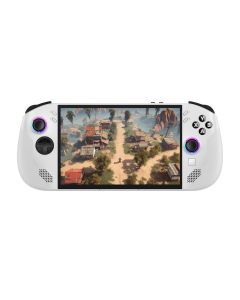
If what you actually want is a more conventional console-style handheld, Anagramshop already carries the Lenovo Legion Go S Gaming Handheld. Its buying logic and ergonomics are fundamentally different from Max 3.
Ports and storage show the mini-laptop DNA
WIN Max 3 includes USB4 Type-C, additional USB-C and USB-A connectivity, HDMI 2.1 output, a 3.5 mm audio jack, Wi-Fi 6E, Bluetooth 5.3 and two NVMe storage positions. GPD also lists SD Express support.
That combination can reduce the compromises when you dock the system. Connect a larger display, keyboard and mouse and it behaves more like a compact desktop replacement than a typical handheld. The Ryzen AI Max platform and large memory options reinforce that role.
One notable omission is OCuLink, which existed as an external-GPU option in parts of the older GPD ecosystem. Max 3's much stronger integrated graphics reduce the need for an eGPU, but anyone with a Max 2 setup built around OCuLink should treat that as a real workflow change.
The pricing is where Max 3 becomes difficult
The base Ryzen AI Max+ 388 / 32 GB / 1 TB crowdfunding tier launched around $1,750. A 64 GB / 2 TB configuration moves to roughly $2,246, while the Ryzen AI Max+ 395 / 128 GB / 2 TB tier reaches around $3,499.
At $1,750, the machine can be rational if it replaces two things you would otherwise buy: a gaming handheld and a high-performance travel laptop. At $3,499, the burden of proof is much higher. You are choosing a very specific compact form factor over premium laptops and small-form-factor desktops that may be easier to cool, repair or upgrade.
That does not make the top model pointless. 128 GB of fast LPDDR5X memory in a machine this small is unusual and potentially useful for local AI, development, virtual machines and heavy creative workloads. But you should have a workload that benefits from it. Buying 128 GB because it is the “best” version is an expensive way to discover that your games would have run just as well on 32 or 64 GB.
Which configuration makes the most sense?
For most buyers, the Ryzen AI Max+ 388 / 32 GB configuration is the rational entry point. It gets you the platform, Radeon 8060S graphics, AMOLED panel and modular design without turning the purchase into a $3,000-plus experiment.
64 GB becomes easier to justify if Max 3 will double as a serious workstation: large creative projects, multiple virtual machines, software development, local model experimentation or memory-heavy professional applications. The 128 GB / Ryzen AI Max+ 395 model is the specialist option, not the default gaming recommendation.
Storage is easier to reason about because Max 3 includes expansion options. Unless a higher-capacity tier offers unusually good value, paying for soldered memory you truly need is generally more defensible than overpaying for SSD capacity you can expand later.
WIN Max 3 vs WIN Max 2 for gaming
If gaming is the main use, Max 3 wins the hardware comparison. Radeon 8060S, high-refresh AMOLED and the much higher power ceiling target a different performance level. It gives newer AAA games more GPU headroom before you start lowering resolution or leaning aggressively on upscaling.
That does not mean every game needs the upgrade. Indie titles, emulation, older PC games and many esports titles already run well on recent WIN Max 2 hardware. A Max 2 owner who mostly plays lighter games may notice the OLED more than the GPU.
There is also the physical reality of heat and noise. Pre-production testing published by GPD Store recorded substantial fan noise under demanding loads and elevated exhaust temperatures. Those results can change with production firmware and cooling revisions, but they are a reminder that high-power silicon in a tiny chassis still has to dump heat somewhere.
WIN Max 3 vs WIN Max 2 for work
For work, the result is more balanced. Max 3 gives you much stronger compute, higher memory ceilings, faster graphics and a modern OLED. Max 2 gives you the physically larger 10.1-inch screen and may already be powerful enough if your work is browser-based, office-heavy or light development.
Where Max 3 becomes compelling is when portability and compute need to coexist. A developer running local containers, a creator editing on the road, an engineer using GPU-accelerated applications or someone experimenting with local AI can make better use of the extra silicon than a user who mostly lives in email and spreadsheets.
The key question is not “is Max 3 faster?” It clearly is. The question is whether the work you do on a 9-inch device benefits enough from that speed to justify the price and weight.
Crowdfunding changes the buying decision
WIN Max 3 is live through Indiegogo, so the normal crowdfunding caveat applies: backing is not identical to buying mature stocked retail inventory. GPD is an established hardware maker with multiple previous handheld PCs, which is very different from backing an unknown first-time team, but schedule, firmware and production risk still exist.
GPD Store currently lists WIN Max 3 as a pre-order product with an expected December 2026 window. That can be a useful alternative for buyers who would rather deal with a store warranty and pre-order process than a crowdfunding pledge. Pricing and delivery dates can change, so verify the live listing before paying.
Check the current GPD WIN Max 3 Indiegogo campaign and reward tiers →
Who should upgrade from WIN Max 2?
Upgrade if...
- You have an older 6800U/7840U-era WIN Max 2 and want a major graphics jump.
- You specifically want OLED and refresh rates above 60 Hz.
- You need more RAM than your current Max 2 can provide.
- You like the removable battery/fan module concept.
- You want one compact machine for gaming and demanding PC workloads.
Keep your WIN Max 2 if...
- The larger 10.1-inch display is important to your productivity workflow.
- Your current Max 2 already runs the games and applications you use.
- You own a newer Max 2 revision and would upgrade mainly because Max 3 exists.
- You rely on a specific older accessory or eGPU workflow.
- $1,750-plus would buy you a better combination of separate laptop and handheld for your needs.
FAQ
How much does the GPD WIN Max 3 cost?
Crowdfunding pricing launched around $1,750 for the Ryzen AI Max+ 388 / 32 GB / 1 TB model, roughly $2,246 for a 64 GB / 2 TB version and around $3,499 for the Ryzen AI Max+ 395 / 128 GB / 2 TB tier. Check the live campaign because reward availability and pricing can change.
When does the GPD WIN Max 3 ship?
Current retail/pre-order information points to a December 2026 window, while crowdfunding timing can differ by reward and region. Treat any date as an estimate until your specific order has confirmed shipment.
Is the GPD WIN Max 3 faster than WIN Max 2?
Yes, especially compared with older Max 2 generations. Ryzen AI Max+ and Radeon 8060S move Max 3 into a higher CPU/GPU class, but size, price and power requirements also increase the trade-offs.
Does the GPD WIN Max 3 have OLED?
Yes. GPD lists a 9.06-inch 2400 × 1504 AMOLED touchscreen with refresh options up to 165 Hz.
Is the WIN Max 3 screen smaller than WIN Max 2?
Yes. WIN Max 3 uses a 9.06-inch panel, while WIN Max 2 uses a 10.1-inch display. Max 3 compensates with AMOLED technology and much higher refresh rates.
Does GPD WIN Max 3 have a removable battery?
Yes. Its main 97 Wh battery is a removable module. GPD also offers a separate fan module for additional cooling when the system is used on external power.
Is WIN Max 3 a Steam Deck alternative?
Only broadly. Both can play PC games, but Max 3 is much more laptop-like, more powerful, heavier and dramatically more expensive. If you want console-first ergonomics, a traditional handheld is the more direct category match.
Which WIN Max 3 configuration should most people buy?
The base Ryzen AI Max+ 388 / 32 GB configuration is the sensible starting point for gaming and general high-performance use. Higher-memory tiers make more sense when you have specific workstation, virtual-machine, development or local-AI workloads.
Should I wait for retail instead of backing Indiegogo?
If warranty handling, final-production reviews and predictable delivery matter more than early campaign pricing, waiting for normal retail is reasonable. GPD has a long hardware history, but crowdfunding still carries more execution uncertainty than stocked inventory.
The useful verdict
GPD WIN Max 3 is a real generational upgrade, but it is also a much more expensive proposition than a normal handheld refresh. Ryzen AI Max+, Radeon 8060S, 165 Hz AMOLED, a removable 97 Wh battery and workstation-scale memory make the hardware genuinely unusual.
If you own an older WIN Max 2 and use the device for both serious PC work and gaming, Max 3 can justify itself because it raises the ceiling of what one tiny machine can do. If you already own a recent Max 2 and mostly value the larger screen, portability and existing workflow, keeping it is completely rational.
The $1,750 base model is where the argument is strongest. Above $2,000, and especially at $3,499, you should be able to explain exactly why this form factor is worth more to you than a premium laptop plus a separate handheld.
View the current GPD WIN Max 3 campaign →
Sources checked October 6, 2026: GPD WIN Max 3 Indiegogo campaign, GPD Store specifications and pricing, GPD Store pre-production review and Max 2 comparison, and GPD Store pre-order listing.
As an Amazon Associate we earn from qualifying purchases on eligible linked products.
Comments