Short answer: a good laptop travel work setup is not a suitcase full of gadgets. It is a small kit that turns a hotel desk, client room, coworking table or train-seat tray into a usable workstation without creating more setup friction than it removes.
This guide compares products already in the Anagramshop catalog: Triple Portable Laptop Monitor, Satechi Thunderbolt 5 CubeDock, Anker Prime Charger 100W, Peak Design Travel Backpack 45L, Logitech Pebble Mouse 2, Logitech Pebble Keys 2, Shokz OpenFit 2 and INIU Cougar P63 Power Bank.
Build the kit around the bottleneck
| Work problem away from home | Product to compare | Why it can help | Check before packing it |
|---|---|---|---|
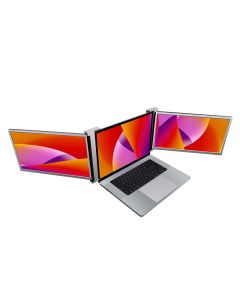
| You lose time switching windows on one laptop screen | Triple Portable Laptop Monitor | Creates extra screen space for spreadsheets, code, dashboards or references. | Laptop display support, desk depth, USB-C video, power draw and weight. |
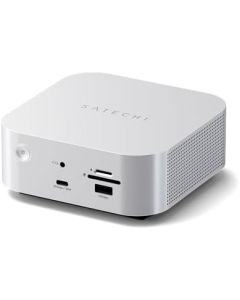
| One-cable desk setup matters | Satechi Thunderbolt 5 CubeDock | Turns a laptop into a cleaner workstation when bandwidth and storage matter. | Thunderbolt support, monitor outputs, SSD compatibility and heat. |
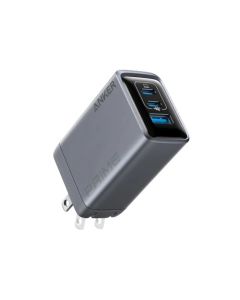
| Hotel outlets are scarce | Anker Prime Charger 100W | One serious charger can cover laptop, phone and accessories. | Port sharing, cable quality, plug region and device wattage. |
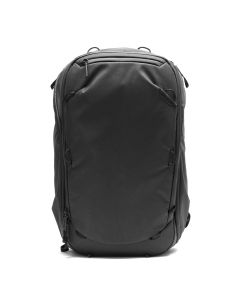
| You need one bag for tech and clothes | Peak Design Travel Backpack 45L | Better organization for one-bag travel and work gear. | Airline size, packed weight, laptop compartment and personal comfort. |
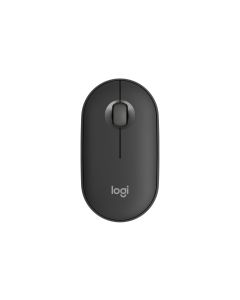
| Trackpad work slows you down | Logitech Pebble Mouse 2 | Small mouse, easier pointer control, minimal bag space. | Hand size, Bluetooth, battery and surface quality. |
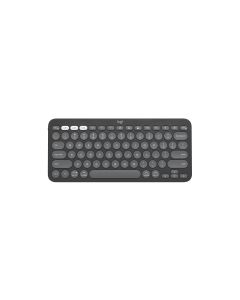
| Typing on a raised laptop is awkward | Logitech Pebble Keys 2 | Separates screen height from typing position. | Layout, key feel, battery, multi-device support and language version. |
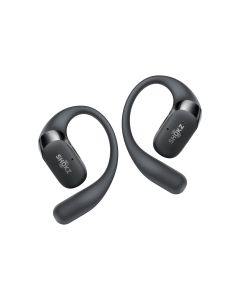
| You need calls without fully blocking surroundings | Shokz OpenFit 2 | Open-ear audio can help on calls while keeping awareness. | Noise level, mic expectations, fit and whether isolation is needed. |
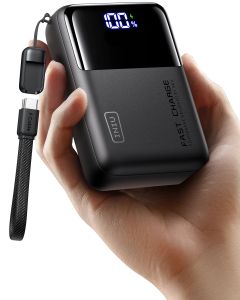
| You work during delays or away from outlets | INIU Cougar P63 | Backup power for longer laptop and tablet sessions. | Airline limits, watt-hours, USB-C output and cable compatibility. |
When a portable monitor is worth packing
The Triple Portable Laptop Monitor is the highest-impact item only when screen space is the real bottleneck. If your travel work involves spreadsheets, side-by-side documents, coding, design review, analytics dashboards or live calls with notes open, extra display space can save real time.
It is also the easiest item to overbuy. A triple monitor setup needs desk depth, cable discipline, laptop compatibility and enough bag tolerance. For café work or short email sessions, one laptop screen plus a mouse is cleaner. For hotel-desk work sessions, it can make the difference between pretending to work and actually working.
Charger and dock: do not confuse them
The Anker Prime Charger 100W is a power simplifier. The Satechi Thunderbolt 5 CubeDock is a connectivity simplifier. They solve different problems, and many travelers need only one of them.
Choose the charger if the pain is wall bricks, slow charging and outlet scarcity. Choose the dock if the pain is monitor, storage and peripheral switching. A dock is not automatically useful on a trip if you do not bring the screens and drives that justify it.
The bag decides whether the setup survives
The Peak Design Travel Backpack 45L matters because travel tech is only useful if it arrives organized and undamaged. A laptop, monitor, charger, cables, mouse, keyboard and headphones can become a chaotic pile quickly.
The check is personal: torso comfort, airline rules, laptop sleeve, packed weight and whether the bag is too large for the trip style. One-bag workers may love the structure. Minimal commuters may prefer something smaller.
Small accessories that actually change the day
The Logitech Pebble Mouse 2 and Logitech Pebble Keys 2 are not flashy, but they can make a raised-laptop setup usable. A laptop stand or monitor is less helpful if you still type at a bad angle.
The Shokz OpenFit 2 is a different kind of work tool. Open-ear audio can be useful in hotel rooms, coworking spaces or home offices where you want calls and awareness at the same time. It is not the right answer for noisy flights where isolation matters more.
The lean kit I would actually pack
- Laptop plus charger as the base.
- Anker Prime or another serious USB-C charger if the default brick is annoying.
- Mouse and compact keyboard if posture matters.
- Portable monitor only for sessions longer than casual email.
- Power bank only if outlet access is uncertain.
- Dock only when the workflow includes external displays, drives or repeated desk setup.
FAQ
Is a portable monitor worth it for travel work?
Yes if you do real multi-window work away from a permanent desk. No if your travel sessions are mostly email, browsing and short calls.
Should I buy a dock or a charger first?
Buy the charger first if power is the problem. Buy the dock only if external displays, storage or peripherals are the recurring problem.
Can a power bank charge a laptop on a plane?
It depends on capacity, watt-hours, USB-C output, airline rules and the laptop’s charging requirements. Carry power banks in hand luggage and check current rules before flying.
What is the biggest mistake in a travel work setup?
Packing a full desk without checking the actual trip. Every item should remove one bottleneck. If it does not, it becomes weight.
The bottom line
A laptop travel work setup should make hard work easier, not make your bag heavier for no reason. Start with power and input comfort, add screen space only when the job demands it, and buy a dock only if the laptop workflow really needs one-cable connectivity.
Some links on Anagramshop may earn a commission if you buy after clicking.