
Three products can all look like a solution to the same problem: too many devices and not enough useful power. But a desktop dock, a wireless charging stand, and a portable power bank solve different problems. Buying the wrong category leaves you with the same frustration plus another accessory. This guide starts with the job you need done, then uses three products already listed on anagramshop as concrete examples. It is a decision framework, not a claim that we have independently tested these devices or verified a live price.
Start by identifying the constraint
Is your desk short on connections, or is your phone simply never where you expect it to be when it needs a charge? Do you run out of battery while travelling, or do you need a cleaner workstation for a laptop and external storage? Write down the exact problem before comparing wattage figures. A dock may help with ports and peripherals, but it cannot substitute for electricity when you are away from an outlet. A power bank may keep a laptop running, but it will not automatically replace a full desktop connection hub.
A desktop dock is about connections first
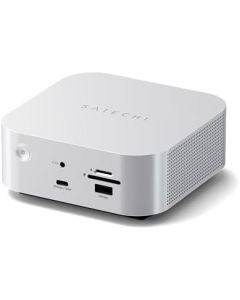
The Satechi Thunderbolt 5 CubeDock with NVMe SSD Enclosure represents the desktop-infrastructure option. The appeal of this category is reducing repeated plugging and unplugging while keeping peripherals and storage close to a workstation. It may be useful if you move a laptop between a mobile setup and a desk. It is much less compelling when you have only a phone and a charging cable.
Before choosing a dock, inspect your laptop's actual port specifications. A USB-C socket alone does not establish Thunderbolt support, video-output compatibility, maximum transfer speeds, or the number of displays a particular host can drive. Confirm the cable requirements, whether the dock needs its own power supply, which SSD format is supported, and whether your specific computer can use the features you want. Never interpret the words Thunderbolt 5 in a product name as a promise that every USB-C laptop will unlock full performance.
A wireless charger is about a repeatable routine
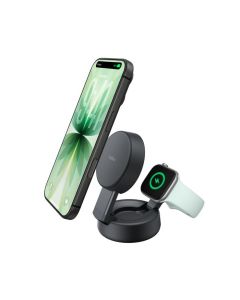
The Belkin UltraCharge Pro 2-in-1 Qi2 25W sits in a different category. The reason to consider a wireless charging station is not that it replaces a laptop dock. It is that you can dedicate a predictable location to compatible devices and reduce the hunt for loose charging leads. If you primarily want a neater bedside table or an easy phone drop-zone on a desk, that is a better starting point than a data dock.
Compatibility still matters. Check the exact phone model, wireless charging standard, required power adapter, case thickness, magnetic alignment, and whether accessories will block placement. The headline charging figure is not a guaranteed rate for every phone. Actual power can depend on the combination of the device, charger, power source, alignment, temperature, and software conditions. If you also need to charge a laptop or transfer files, consider a separate solution for that job.
A power bank is about being away from the wall
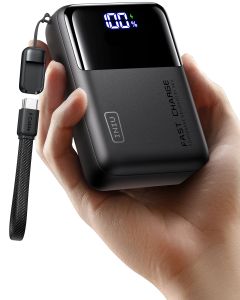
The INIU Cougar P63 25,000mAh Laptop Power Bank is the portable example. This category is useful for travel, long commutes, location shoots, and unpredictable outlet access. Its advantage is mobile stored energy rather than fixed cable organisation. The useful question is whether it supports your device's charging protocol and provides enough output at the port you will actually use.
Do not confuse a capacity figure in mAh with the amount of energy a laptop will receive. The battery's rated voltage, conversion losses, simultaneous loads, and the computer's own charging requirements all matter. For air travel, check the watt-hour rating shown by the manufacturer and the current airline rules instead of assuming any capacity is automatically permitted. Also check whether a cable capable of the required power is included; the wrong cable can turn an otherwise suitable charger into a disappointing setup.
The mistake: comparing one headline number
The numbers printed on these product pages describe different things. A dock's bandwidth is not stored battery energy. A wireless charger's advertised output is not the same as a portable battery's capacity. A power bank's maximum output does not prove that it can power every laptop while also charging several accessories. Make a small list of devices, the ports you need, the power each device requests, and the places you use them. Only then compare product documentation.
Three realistic desk and travel setups
Fixed workstation: if you repeatedly connect storage and peripherals when arriving at your desk, research the Satechi dock first. Make a compatibility checklist specific to the laptop and peripherals, and compare the total cost with a simpler hub if advanced connectivity is unnecessary.
Phone-first desk or bedside: if your main frustration is a phone and accessories scattered around a table, check the Belkin station. Confirm your exact devices are supported. A beautifully designed charging station is not an upgrade if it cannot charge the device you own.
Mobile working day: if the main risk is a dead laptop or phone before reaching an outlet, start with the INIU power bank. Validate both USB-C power delivery and airline restrictions before buying for travel. You may still need a wall charger at your destination.
Final buying checklist
- List the exact devices you want to connect or charge, including their model numbers.
- Check supported protocols rather than relying on the shape of a USB-C socket.
- Calculate the total setup cost, including adapters, cables, and required power supplies.
- Verify current merchant availability, delivery restrictions, and returns for your country.
- Prefer one product that solves a repeated problem over three impressive products that overlap.
These are three genuinely different purchases. Decide whether your problem is connectivity, convenient placement, or power away from the wall. Compare the matching product category first, and leave the others alone unless they solve another documented need.
Editorial disclosure: product links lead to anagramshop product pages. Some outbound shopping links on those pages may be affiliate links. Availability, regional offers, and specifications should be checked with the seller before purchase.
Comments