Nous utilisons des cookies pour faire fonctionner anagramshop et améliorer ce que nous publions. Choisissez les cookies du site pour l’analyse et les médias intégrés, ou continuez avec les cookies essentiels uniquement. Vous pouvez modifier votre choix à tout moment depuis les paramètres des cookies. En savoir plus

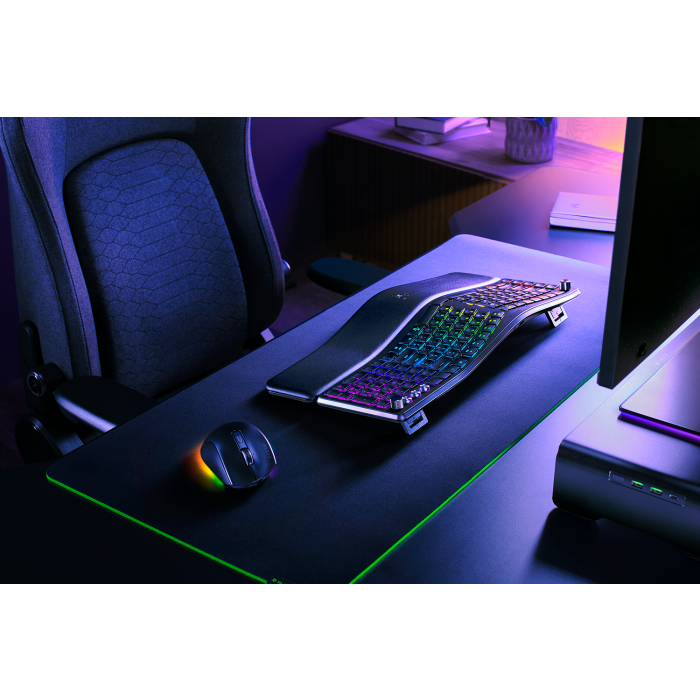
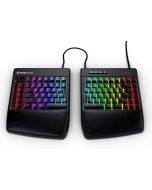
Razer Pro Type Ergo Wireless Split Ergonomic Keyboard
€189.99
Razer Pro Type Ergo est un clavier ergonomique split pour les bureaux qui misent sur confort, raccourcis et usage multi-appareil. Vérifiez disposition, espace disponible et logiciel.
Razer Pro Type Ergo is a wireless split ergonomic RGB keyboard for buyers who want a work keyboard with gaming-grade controls, not a plain office board. It belongs on the Anagramshop shortlist because it answers a real desk question: should you buy an ergonomic keyboard for long work sessions, or a compact keyboard to save space?
Why it made the shortlist
Razer positions the Pro Type Ergo as a full-size split ergonomic keyboard with adjustable tilt, ultra low-profile keycaps, built-in wrist rest, Razer Chroma RGB, HyperSpeed wireless, Bluetooth, USB-C, Razer Command Dial, media roller and dedicated macro keys. The useful angle is not RGB by itself; it is whether the split shape and controls reduce daily friction enough to justify a larger keyboard.
Published details worth checking
- Layout: split ergonomic full-size form factor with macro column, so it needs more desk width than compact boards.
- Typing feel: Razer support lists scissor-switch membrane keys with a light tactile feel.
- Controls: Command Dial, media roller and macro keys are useful for shortcuts, editing and repeated work actions.
- Connectivity: Razer lists HyperSpeed Wireless 2.4 GHz, Bluetooth and USB-C.
- Software: Synapse 4 is part of the customization story, so Mac/Windows workflow and locked-down work laptops matter.
Where it makes sense
Consider this if a normal keyboard pushes your wrists into an awkward angle, but you still want media controls, RGB visibility and shortcut keys. Skip it if your desk is tiny, if you prefer a fully separated split board, if you want mechanical switches, or if you need the cheapest ergonomic option possible.
What to check before buying
- Confirm the Amazon ASIN is the US layout and not another Razer keyboard.
- Check seller, current price, return terms and whether your work machine can run the software you need.
- Measure your desk before buying: full-size ergonomic boards can crowd mouse space.
- Compare against compact Bluetooth keyboards and fully split ergonomic boards if portability or separation matters most.
Limits and editorial caveats
This page is based on published product information, not hands-on typing tests. Ergonomics are personal: desk height, chair position, wrist posture, shoulder width and typing habits all change whether a keyboard feels better. Do not treat an ergonomic keyboard as medical advice for pain or injury.
As an Amazon Associate we earn from qualifying purchases.
| Useful For | Gift, Office, Home, Tech |
|---|---|
| Best For | For Him, For Her, For Geeks |
| Highlights | Trending |
En tant que Partenaire Amazon et partenaire affilié, nous pouvons réaliser un bénéfice sur les achats remplissant les conditions requises effectués via des liens sortants. Cela ne modifie pas le prix que vous payez.
Write Your Own Review
We found other products you might like!