
Quick verdict: buy AR glasses if you want a private, wearable screen for flights, handheld gaming or compact travel. Buy a portable monitor if you need real productivity, easier sharing, fewer comfort issues and a more predictable desk setup.
A portable monitor and a pair of AR glasses both promise “more screen anywhere,” but they solve different problems. A monitor gives you a real second display for spreadsheets, editing, calls and hotel-desk work. AR glasses give you a private big-screen experience for travel, gaming and media when you do not want to unpack a display.
This guide sits next to our AR, VR, gaming and creator upgrades pillar. That article surveys the category. This one forces the decision: glasses or monitor first?
Pick the screen by the job, not by the wow factor
| Use case | Better starting point | Why | Reality check |
|---|---|---|---|
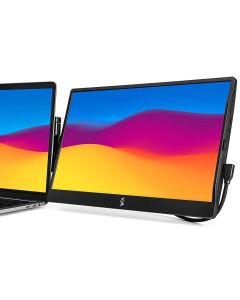
| Long laptop work sessions in hotels, cafés or coworking spaces | SideTrak Swivel 14 Portable Monitor | A physical second screen is easier for documents, timelines, spreadsheets and calls. | It adds weight, cable setup and mounting considerations to the laptop. |
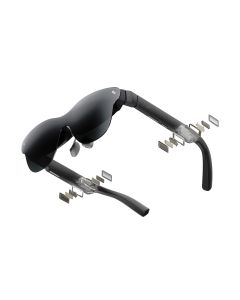
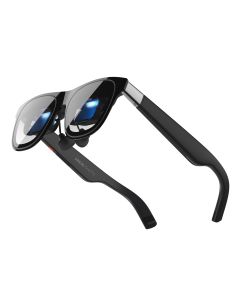
| Private movie, console, Steam Deck or phone viewing on a plane or sofa | RayNeo Air 4 Pro AR Glasses | RayNeo publishes 1080p, 120Hz, 76g weight and a 46° field of view for a glasses-style display. | Compatibility, comfort, prescription needs and cable adapters matter more than headline screen size. |
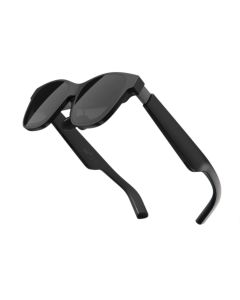
| Premium spatial screen with built-in 3DoF features | XREAL One Pro AR Glasses | XREAL lists 57° FOV, 120Hz, 700 nits perceived brightness, X1 chip and electrochromic dimming. | Higher price means you need a clear daily use case, not just curiosity. |
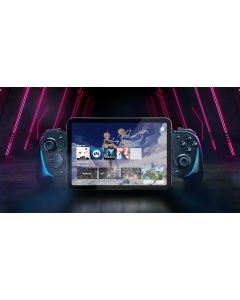
| Gaming phone or handheld controller upgrade | Razer Kishi Ultra | A controller may improve the experience before a display upgrade does. | Check phone fit, pass-through charging, case thickness and platform support. |
When AR glasses are the smarter buy
AR glasses make sense when privacy and portability beat the need for a true desk. The RayNeo Air 4 Pro is interesting because the official listing emphasizes a 1080p micro-OLED experience, 120Hz refresh, 1,200-nit brightness figure, 76g weight and broad USB-C/adapter compatibility across phones, laptops and consoles. That is the profile of a travel entertainment screen, not a replacement for every office monitor.
The XREAL One Pro is the premium comparison if you want a more spatial screen. XREAL’s documentation lists a 57° field of view, 120Hz highest refresh rate, 700 nits perceived brightness, adjustable lens transparency and 87g weight. Those numbers are useful, but the real question is fit. AR glasses can be brilliant if your face, IPD, device and cable path all cooperate. If they do not, even great specs become annoying fast.
When a portable monitor is still the grown-up answer
A physical monitor is less futuristic and often more productive. The SideTrak Swivel 14 targets people who want a second laptop screen that attaches or stands up without turning the whole setup into a pile of accessories. Published retail specs for the 14-inch version list Full HD 1920×1080 resolution, 60Hz refresh and a 1.5 lb body.
That makes it better for work where people around you might need to see the screen, where text clarity matters, or where the task involves multiple windows for hours. The trade-off is physical bulk. You need space, a stable laptop setup, cables and a bag that tolerates another flat object.
Do not buy glasses before checking these four things
- Device output: many glasses depend on USB-C DisplayPort Alt Mode or an adapter. A USB-C port alone is not proof.
- Prescription plan: if you wear glasses, confirm whether inserts or adjustments are needed before buying.
- Public comfort: some people are fine wearing display glasses on a train; others are not. That matters.
- Audio privacy: “private screen” does not automatically mean private sound. Check where audio plays.
Do not buy a portable monitor before checking these four things
- Laptop size and lid strength: attachable monitors depend on a sane mounting surface.
- Desk reality: if you mostly work on your lap, a monitor may be less useful than you imagine.
- Connection path: USB-C, HDMI and power behavior vary by laptop.
- Weight budget: a 1.5 lb monitor is acceptable in some bags and a deal-breaker in others.
Where gaming accessories fit
If the screen question is mainly about mobile gaming, do not ignore the controller. A Razer Kishi Ultra can be the first upgrade if your bottleneck is touch controls, hand comfort or charging passthrough, not display size. AR glasses plus a controller can be fun; controller first is cheaper and easier to validate.
FAQ
Are AR glasses better than a portable monitor for flights?
Usually yes for private media and gaming, because they take less tray-table space. For work documents, a real monitor may still be easier once you are at a desk.
Can AR glasses replace my laptop monitor?
For some people, occasionally. For long text-heavy work, many buyers still prefer a physical display. Treat AR glasses as a private big screen first and a productivity monitor second.
Do I need XREAL One Pro instead of RayNeo Air 4 Pro?
Only if you specifically want the premium XREAL features such as the wider FOV, X1 chip and spatial display behavior. If the job is basic travel entertainment, a lower-cost glasses option may be enough.
What is the biggest mistake with portable monitors?
Buying one without checking your actual work posture. If you do not reliably have a desk or table, the “second screen anywhere” promise becomes much weaker.
Useful verdict
Choose AR glasses for private entertainment, travel gaming and screen size without luggage bulk. Choose a portable monitor for real laptop work, shared viewing and long sessions. If you are unsure, start with the cheapest bottleneck: controller, cable, or monitor, not the most cinematic spec sheet.
Sources checked: RayNeo Air 4 Pro specs, XREAL One Series specs, XREAL One Pro product page, SideTrak Swivel 14 retail specs.
As an Amazon Associate we earn from qualifying purchases.
Comments