
AR, VR and gaming accessories are easy to mistake for one category because they all look futuristic. They solve very different problems: a private display, a fully immersive headset, better mobile controls, physical feedback, faster capture, clearer notes, or a bigger shared screen. Start with the moment that keeps frustrating you, then choose the smallest upgrade that fixes it.
This is a decision guide for premium display, gaming and creator upgrades. It is not a general console-buying guide, and it does not replace our Pocket Projectors 2026 comparison when the main question is projector selection. Here, the focus is the trade-off between private screens, headsets, hands-on gaming, capture and shared-room viewing.
Choose the missing experience first
| If the friction is... | Start by comparing | Check before spending |
|---|---|---|
| You need a large private display while travelling, gaming or working in a small space | XREAL One Pro, RayNeo Air 4 Pro or XREAL Air 2 Pro | USB-C DisplayPort output, adapters, comfort, IPD/prescription needs and the exact device list |
| You want spatial games and mixed reality rather than a floating monitor | Meta Quest 3S | Storage, boundary space, comfort and whether the wearer will use a headset repeatedly |
| Touch controls make mobile, cloud or remote-play gaming feel compromised | Razer Kishi Ultra | Phone/tablet fit, case clearance, USB-C position and the games or streaming service you actually use |
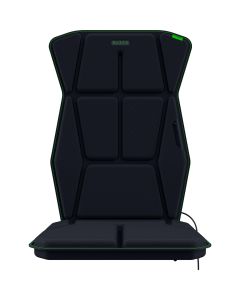
| You want more physical feedback at a fixed gaming desk | Razer Freyja | Chair fit, nearby power, platform support and tolerance for a wired desk accessory |
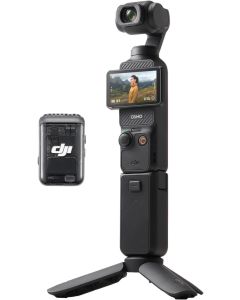
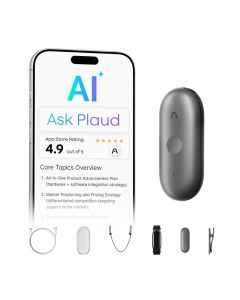
| You avoid filming or lose track of spoken notes | DJI Osmo Pocket 3 or PLAUD NotePin S | Bundle contents, storage, consent/privacy, subscription terms and export workflow |
If your gaming setup starts with the handheld itself, not the display accessory, see our GPD WIN Max 3 vs WIN Max 2 buying guide before deciding how much screen or AR hardware to add around it.
If spoken notes are the real bottleneck, our AI voice recorder vs AI earbuds vs wireless mic vs translator earbuds guide now compares PLAUD NotePin S, viaim Rise, DJI Mic Mini and Timekettle W4 Pro by actual workflow.
AR glasses: a private display, not a VR replacement
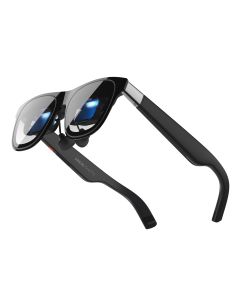
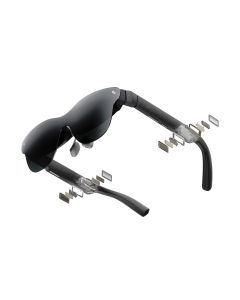
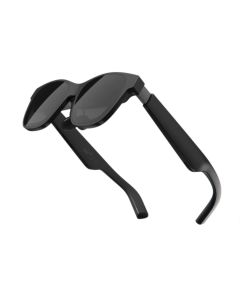
The XREAL One Pro is the right starting point for someone who wants a large personal screen from a laptop, handheld or compatible phone without carrying a monitor. XREAL lists a 57-degree field of view, up to 120 Hz refresh, adjustable IPD options and three-level electrochromic dimming. Those details matter most after compatibility: a premium display is useless if the source device cannot output video over the USB-C connection you plan to use.
The RayNeo Air 4 Pro leans more toward entertainment, with a 1080p display, 120 Hz mode, claimed 1,200-nit brightness and USB-C/adapter support for phones, PCs and consoles. The XREAL Air 2 Pro is a useful alternative only if its current listing, fit and price make more sense for your source device. None of these glasses automatically work with every phone, console or laptop. Confirm video output, adapter requirements, comfort over a full film or gaming session, and any prescription insert before deciding that a virtual screen is more practical than a tablet.
VR is a different commitment
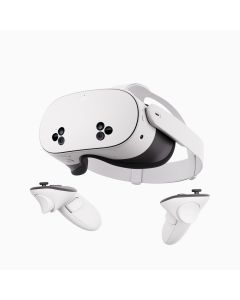
The Meta Quest 3S is for games, immersive media and mixed-reality experiences where a headset is the point—not for quietly replacing a laptop screen on a train. Its value depends less on a specification line than on repeat use: do you have a safe play area, can the intended wearer tolerate the fit and motion, and is 128 GB suitable for the games and media they actually keep installed? Try the ecosystem and comfort factors before treating a headset as a universal entertainment device.
For handheld and cloud gaming, controls come before ambience
The Razer Kishi Ultra solves the most direct gaming problem in this group: touchscreen controls. Razer describes a full-size controller format, mecha-tactile controls, Hall-effect triggers, a 3.5 mm audio port and 15 W passthrough charging, with support that depends on the connected device. That is useful when mobile, remote or cloud gaming is already a habit. It is not useful if the phone does not fit, the case blocks USB-C, or the games you play do not benefit from a physical controller.
The Razer Freyja is a deliberate desk setup accessory, not a core upgrade. Razer specifies six haptic motors and support through its Sensa ecosystem, while its setup guidance requires a compatible chair, a nearby power outlet and a PC for its full setup path. Buy it only after controls, display and audio are already right. Haptics can make a fixed setup more involving; they do not improve a game that you do not otherwise play at that desk.
Creator tools: remove the step that stops you publishing
The DJI Osmo Pocket 3 Creator Combo is compelling when carrying a large camera or gimbal is the reason you leave them at home. DJI lists a 1-inch CMOS sensor, three-axis mechanical stabilisation, a 2-inch rotating screen and 4K video up to 120 fps. The Creator Combo is only worth the premium if the included microphone, handle and battery workflow solve your actual shoots; verify the exact current bundle, microSD plan and local rules before recording people or events.
The PLAUD NotePin S targets a separate workflow: interviews, meetings, lectures and field notes. Treat it as a capture-and-review tool, not an automatic source of truth. Check the current transcription plan, language support, export format and consent requirements before recording anyone. A recorder that saves a recurring note-taking task can be useful; a recorder that creates privacy or review work is not an upgrade.
For a shared screen, keep the projector decision separate
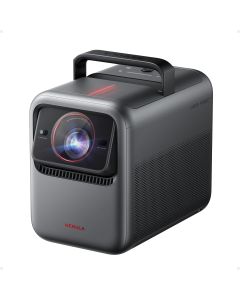
The Nebula X1 belongs here because it changes a room from personal viewing to shared viewing. But a premium projector is governed by throw distance, room light, screen plan and speaker placement. If that is your main decision, use the projector comparison; do not treat an AR glasses purchase and a home-theatre purchase as interchangeable just because both create a bigger image.
What to skip for now
- Skip AR glasses if your primary device lacks a compatible video-out path or you have not checked comfort and prescription options.
- Skip a VR headset if you do not have a safe recurring place and time to use it.
- Skip haptics before you have solved controller, display and audio friction.
- Skip a creator bundle until you know which included accessory shortens your workflow.
- Skip a projector before measuring the room; resolution does not solve a bad throw distance or bright wall.
Questions buyers ask
Are AR glasses and a Quest headset substitutes?
Usually not. AR glasses are mainly a private external display for compatible sources. Quest is for headset-based games and spatial experiences. Choose by the activity, not by the word “immersive.”
Will a mobile controller make cloud gaming work better?
It can make controls more natural, but it cannot fix a poor connection, an incompatible phone or a service that does not support the game you want. Check the whole chain.
Is Razer Freyja worthwhile for every game?
No. It is a premium immersion accessory for a fixed setup. Check the supported-content and setup requirements, then decide whether that experience is worth the cable, chair and desk commitment.
Can an AI recorder replace taking notes?
No. It can make capture and review easier, but you still need consent, a reliable review habit and a clear understanding of how transcripts, summaries and exports are handled.
Sources and product details checked
- XREAL One Pro official specifications
- RayNeo Air 4 Pro official product details
- DJI Osmo Pocket 3 official specifications
- Razer Kishi Ultra official product details
- Razer Freyja official product details
As an Amazon Associate we earn from qualifying purchases.
If the device has to be worn all day
AR glasses, AI glasses and smart rings all look like “wearable tech”, but they answer different buying questions. If the real need is health, sleep or recovery tracking rather than a private display, start with the smart rings comparison before spending on glasses.

Comments