
An OBD2 scanner does not turn a dashboard warning into a repair diagnosis. It does something smaller and often more useful: it lets you capture the information that triggered the warning before it is cleared, so you can describe the problem, ask better questions and avoid guessing at parts.
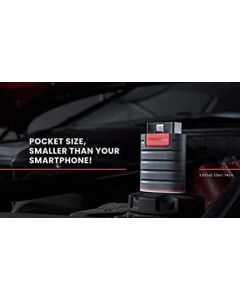
This guide explains the role of the THINKDIAG Automotive OBD Code Reader. It is based on product and public OBD documentation checked in June 2026, not on workshop testing. Vehicle coverage, subscriptions, functions and app support vary by make, model, model year and region.
The useful mental model: code, symptom, diagnosis
| Step | What it gives you | What it does not give you |
|---|---|---|
| Read a DTC | A stored fault-code reference and, where supported, related data | Proof of the failed part or root cause |
| Record the context | Mileage, warning-light behaviour, symptoms and scan time | A substitute for inspection or testing |
| Discuss repair | More precise questions for a technician or service adviser | Permission to ignore a safety warning |
That distinction matters. OBD regulations and public inspection guidance describe diagnostic trouble codes as information stored when a monitored fault is detected. A code identifies a system or condition the vehicle observed; it is not automatically a shopping list. Wiring, connectors, a related component, a mechanical issue or a temporary operating condition can produce a similar code.
When a scanner is genuinely useful
THINKDIAG makes sense for an owner who keeps a vehicle beyond its warranty, manages more than one car, or wants to capture basic context before booking a repair. The manufacturer describes code reading/clearing, live-data access and additional system functions for supported vehicles. That can reduce the “the light came on, I have no idea why” gap.
A calm workflow is simple: scan the car, take a screenshot or write down the code, note whether the warning is steady or flashing and record any symptoms. Then consult the exact vehicle documentation or a qualified technician. The scanner is useful because it preserves evidence; it is not useful when it persuades someone to erase evidence before the problem is understood.
What to check before you buy
- Confirm your exact year, make, model, engine and market in the compatibility information.
- Check which functions are included for that vehicle and whether any software coverage or renewal terms apply.
- Confirm the phone, operating system and app requirements before ordering.
- Read the current listing for connector support, included period of updates and return terms.
The limit most buyers miss
Clearing a code can switch off a warning temporarily, but it does not prove the underlying fault is gone. Public OBD inspection guidance also notes that some readiness monitors and permanent codes behave differently from ordinary stored codes. Clearing codes before an emissions test or before documenting a recurring issue can make the next conversation harder, not easier.
Do not use a scanner as a delay tactic. A flashing warning light, braking concern, steering issue, overheating, fuel smell, smoke, sudden loss of power or any condition that feels unsafe deserves prompt professional attention. A diagnostic tool cannot inspect the vehicle or make it safe.
Three sensible ownership scenarios
- Check-engine light on a normally driving car: record the code and symptoms, then use the result to prepare for a repair discussion.
- Buying a used car: a scan can be one data point, but not a replacement for a pre-purchase inspection, service history or road test.
- DIY maintenance: use documented procedures for the specific vehicle; do not replace a part solely because a generic code points to that circuit.
Frequently asked questions
Will an OBD2 scanner work on every car?
No. Generic OBD coverage, manufacturer-specific functions and app support differ. Verify the exact vehicle before purchase.
Can I clear a check-engine light myself?
A supported tool may clear stored codes, but that does not repair the underlying issue. Record codes first and do not clear warnings to avoid a safety or emissions problem.
Does a code tell me which part to replace?
Usually no. It identifies a fault area or condition. Proper diagnosis may require live data, inspections, vehicle-specific procedures and tests.
Is live data more useful than a code?
It can add context, but only when you know which parameters are relevant for the vehicle and symptom. It is still not a standalone diagnosis.
Should I use it before a mechanic visit?
Yes, if it helps you record the code and symptoms. Bring that information rather than treating it as a conclusion.
The bottom line
Buy an OBD2 scanner to reduce uncertainty and document what the car reports. Do not buy one to self-diagnose every warning or to erase lights until a problem disappears. Used carefully, it makes an owner more informed; it does not replace a competent diagnosis.
Sources checked: THINKDIAG product information; California Bureau of Automotive Repair OBD reference.
As an Amazon Associate we earn from qualifying purchases.
Comments