
A cadence sensor and a heart-rate monitor are not rival upgrades. They answer different questions. Cadence tells you what the pedals are doing; heart rate gives a delayed but useful signal about how hard your body is working. The useful first purchase depends on the decision you want to make during a ride.
This guide compares the Wahoo RPM Cycling Cadence Sensor with the Wahoo TICKR Heart Rate Monitor. It uses manufacturer documentation checked in June 2026, not a lab accuracy test. Check the exact model, app support and current listing before ordering.
Start with the question you cannot answer today
- “Am I grinding too hard or spinning too fast?” Start with cadence.
- “Is this pace actually easy for me today?” Start with heart rate.
- “Do I follow structured indoor-bike sessions and review data?” Both can be useful, but only after confirming the app or bike computer can read both signals.
What each sensor measures
| Decision point | Wahoo RPM Cadence | Wahoo TICKR |
|---|---|---|
| Primary signal | Pedal revolutions per minute | Heart beats per minute |
| Where it sits | Crank arm or shoe, depending on setup | Chest strap |
| Published connectivity | Bluetooth Smart and ANT+ | Bluetooth and ANT+ on supported TICKR models |
| Published weight | 7 g for the RPM sensor | 17 g without strap / 48 g with strap for the documented TICKR model |
| Battery | CR2032; Wahoo states up to 12 months | CR2032; Wahoo states up to 12 months for the documented TICKR model |
The table is deliberately plain because the numbers are not interchangeable. Cadence does not tell you whether the ride is easy. Heart rate does not tell you whether you are pedalling efficiently. A rider can have a high cadence at low effort, or a normal cadence while working very hard into a headwind, on a climb or after poor recovery.
Choose RPM when the bike-specific habit is the problem
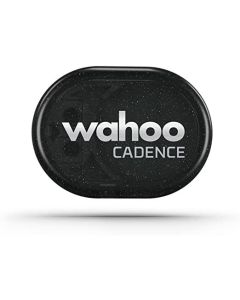
The RPM sensor is the targeted choice for riders who want to make pedalling rhythm visible. Wahoo lists Bluetooth Smart and ANT+ support, a 7 g sensor, a CR2032 battery and mounting options for a crank arm or shoe. That makes it particularly practical for an indoor bike, a bike computer setup or a rider moving between more than one bike.
Its best use is not chasing a universal cadence number. It is noticing a pattern: perhaps a rider repeatedly pushes a heavy gear at a low cadence, or perhaps an indoor session asks for a controlled cadence interval. In that situation, a live RPM number turns “spin a bit faster” into feedback you can actually act on.
Real limitation: cadence is not power, speed or training load. Without context it can encourage number-watching. If you are not following a drill, reviewing the ride, or changing behaviour based on the data, the sensor may add a screen without adding value.
Choose TICKR when effort should follow you beyond the bike
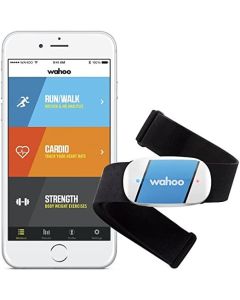
TICKR is broader because heart-rate data can be used for cycling, running, rowing and other compatible activities. Wahoo’s instructions for the documented model list Bluetooth and ANT+ connectivity, an adjustable chest strap, IPX7 water resistance and a CR2032 battery rated up to 12 months. It is a stronger first sensor for someone whose training is not only cycling.
Heart rate is useful for keeping an easy day easy, comparing how a familiar route feels over time, or working within a plan that uses effort zones. It should not be treated as a medical reading or as a verdict on a single workout. Heat, hydration, fatigue, medication, stress and sensor contact can all affect what you see.
Real limitation: chest straps need good contact and sensible pairing habits. Wahoo advises limiting concurrent Bluetooth connections when possible to avoid conflicts, and compatibility varies by app and device. Pair the sensor with the exact phone, watch, bike computer or training app you use before relying on it.
Compatibility is the check most people skip
Both products are commonly described as Bluetooth and ANT+ sensors, but that does not mean every device handles them the same way. Wahoo’s current support guidance notes that its app uses Bluetooth sensor connections; ANT+ use on phones can require a bridge, while Windows and Mac setups may need an ANT+ dongle depending on the software. Check the sensor settings inside your preferred app before purchasing.
Three realistic setups
- Indoor cyclist with a basic smart trainer: RPM first if cadence intervals are the missing feedback; TICKR first if you already know your cadence but want effort zones.
- Road cyclist who also runs: TICKR first, because the data can travel across both activities.
- Data-focused rider with a compatible bike computer: use both only when the training plan gives each signal a job.
Frequently asked questions
Can I use both sensors at once?
Yes, if your app or bike computer supports the relevant sensor types. They report different data, so they complement rather than replace each other.
Will RPM work with every bike?
Wahoo describes crank-arm and shoe mounting options, but clearance, bike geometry and the exact supplied accessories still need checking before installation.
Is TICKR a medical device?
No. It is a fitness sensor. Do not use exercise data to self-diagnose symptoms or postpone medical advice.
Do I need ANT+?
Not necessarily. Bluetooth is often the straightforward option for phones. ANT+ can matter for compatible bike computers and some desktop setups; check your device and app rather than buying based on the protocol name alone.
Which battery should I keep on hand?
Wahoo documents CR2032 coin cells for these models. Follow the product instructions for replacement and keep coin batteries safely away from children.
The bottom line
Buy RPM when a better pedalling rhythm is the specific problem you are trying to solve. Buy TICKR when effort zones and cross-sport training are more useful. Buy both only after you can explain what you will do differently with each number.
Sources checked: Wahoo RPM specifications; Wahoo TICKR instructions; Wahoo connection guidance.
As an Amazon Associate we earn from qualifying purchases.
Comments